
Apple Mac repairs, service and support
Over twenty years repairing, servicing and supporting macOS and the hardware it runs on, right here in Perth. iMac, MacBook, MacBook Pro, MacBook Air and Mac mini.

Which Mac do you have?
Start here and go straight to the repairs for your machine.
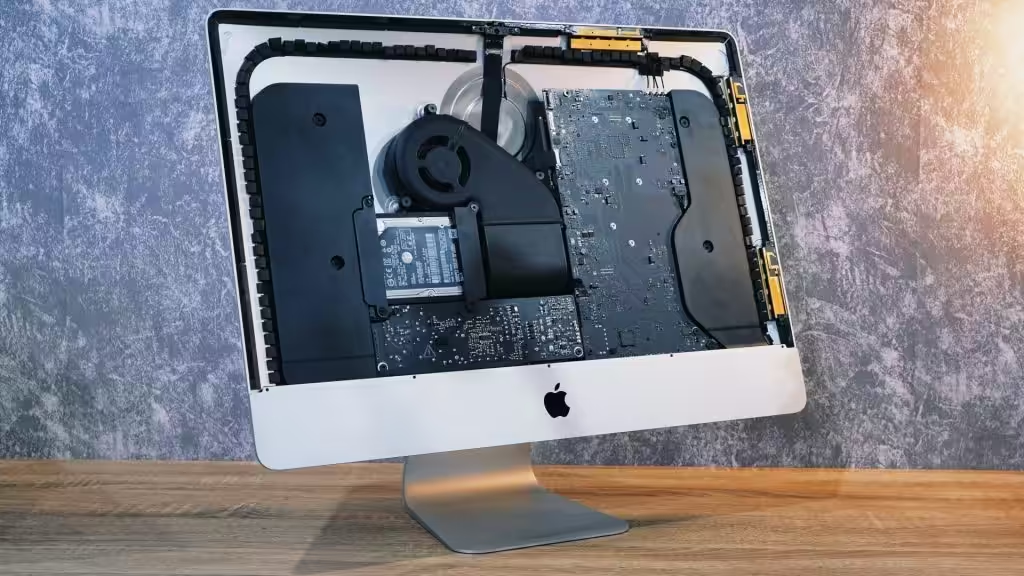
iMac repairs
All-in-one desktops, from the older Intel machines through to Apple silicon.
- iMac won't turn on
- SSD repair and upgrade
- Fusion Drive problems
- Power supply repair
- Spinning wheel
- Update the OS
MacBook repairs
MacBook, MacBook Pro and MacBook Air — screens, batteries, boards and trackpads.
- Screen repair
- Battery repair
- Logic board repairs
- Trackpad repairs
- SSD repair and upgrade
- Update the OS
Mac mini repairs
The compact desktop, from the 2018 Intel models to the M1 and later.
All Mac mini repairsiMac repairs
Most repair shops can work on the various flavours of Windows, but few have a deep understanding of the Apple range. We're proud to say we've spent over twenty years on all flavours of Apple Mac.
Whether it's a cracked screen, an unresponsive keyboard or slow processing, we have the expertise to diagnose and fix it properly — with proper diagnostic tools and genuine replacement parts, so the machine goes back together the way it came apart.
MacBook, MacBook Pro and MacBook Air repairs
Over twenty years diagnosing and resolving MacBook faults — hardware failures like broken screens and faulty keyboards, and software trouble like slow performance or repeated crashes. There are few issues on these machines we haven't repaired.
We use genuine Apple parts so your MacBook goes back to its original functionality and quality, and we turn jobs around quickly so you can get back to work.

Mac mini repairs
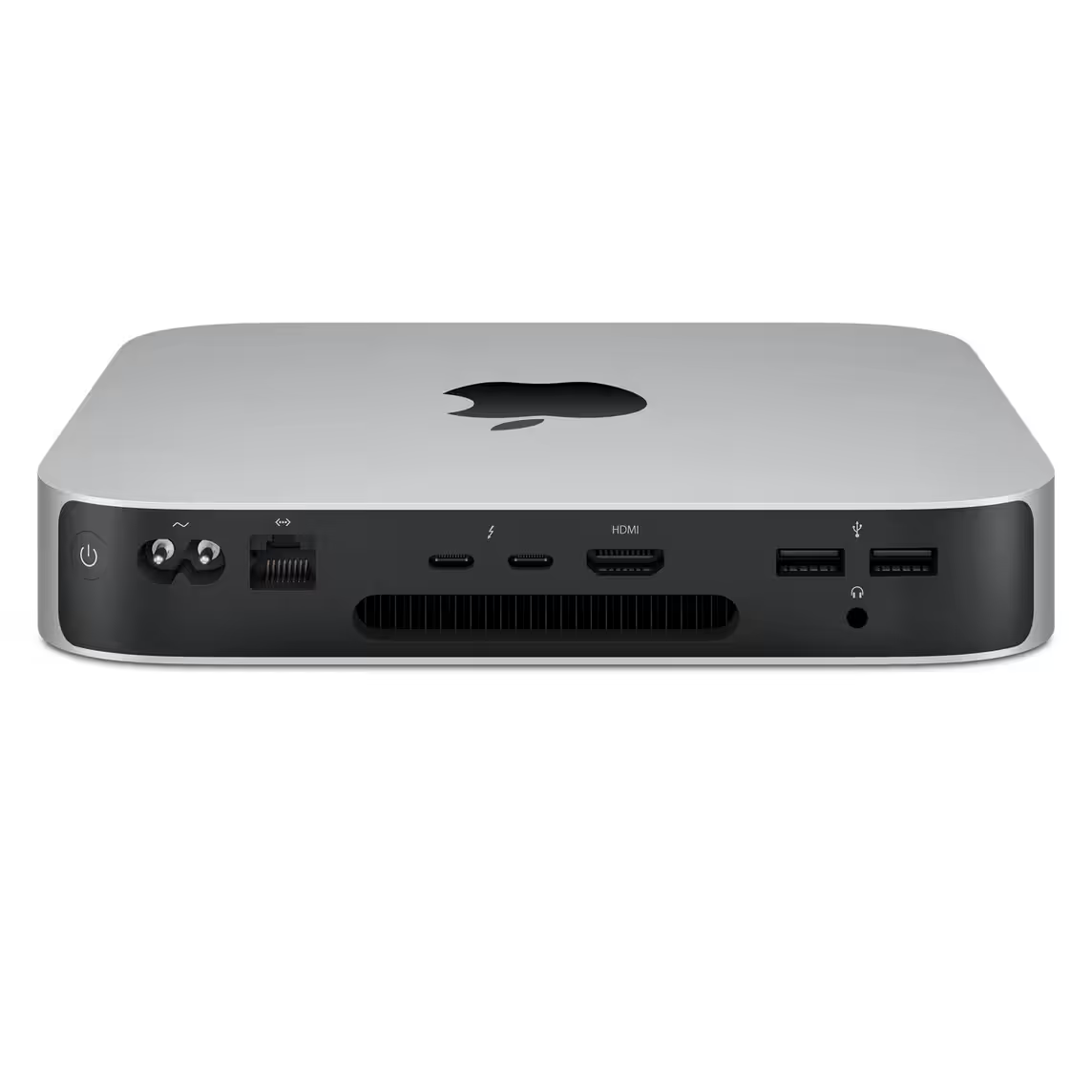
The Mac mini is a compact desktop, much like an Intel NUC. It ships without a screen, keyboard or mouse — the idea being that you plug it into the ones you already own rather than buying new, though bundles with peripherals are also sold.
It's been around since 2005, and like everything Apple makes, the design and the internals have changed a great deal since.
Before the M1 arrived, the 2018 Mac mini came in two speeds — the 3.6 GHz Core i3 and the 3.0 GHz Core i5. The M1 was Apple's first system-on-a-chip machine, and it outperformed both of its pricier predecessors. There were trade-offs: no external graphics card support, and memory capped at 16GB.
Mac faults we fix
Pick whichever sounds like your machine. If none of them do, call and describe it.
Folder with a question mark
The Mac can't find a system to start from.
What this means →Spinning wheel of death
The beachball never stops and nothing responds.
What this means →Kernel panic
The screen dims and tells you to restart, over and over.
What this means →Battery won't hold charge
Service Battery warnings, swelling, or minutes of runtime.
Battery repair →macOS install or clean install
A fresh system, set up properly, with your data brought across.
macOS installs →Running slow, needs more memory
An SSD or a RAM upgrade is usually the cheapest fix there is.
SSD and memory →Time Machine backups
Set up properly, checked, and actually restorable when you need it.
Power button not working
Nothing at all when you press it, or it takes several tries.
Liquid spill or water damage
Bring it in switched off and don't charge it. The sooner the better.
What Mac repairs cost
Free diagnosis, then a fixed price before any work starts. Nothing goes ahead until you say so.
All prices include GST. Apple parts are quoted separately and shown to you before anything is ordered. Figures shown are indicative starting prices, pending Digby's confirmation.
Other things we fix

Computer repairs
- Slow computer and laptop repairs
- Broken screen replacements
- CMOS battery replacement

Laptop repairs
- Screen replacement
- Laptop not booting
- Overheating and power faults

PC repairs
- Windows update problems
- Network and print issues
- Windows not booting properly

Computer technician
- Update software packages
- Diagnose and resolve IT issues
- Email setup

macOS installs
- Clean install of macOS
- Your data brought across
- Set up and checked
Not sure what your Mac is doing?
Describe it and I'll tell you the likely cause and roughly what it costs — before you commit to anything.